starslittle/dsh-blue-whale
复刻 DeepSeek Chat 蓝鲸配色的皮肤,亮色/深色跟随系统外观。
Listed
6
Theme
Bundle verified
Preview
What it does
A DeepSeek Chat-style blue-whale color skin. Light and dark follow the built-in appearance.
Best for
- DSH Web users who want DeepSeek Chat's blue brand and primary-action colors while retaining the built-in appearance modes.
- Users seeking a narrowly scoped, reversible color skin without layout or density changes.
Not ideal for
- Users seeking layout, density, or broader interface customization beyond the blue color treatment.
- Headless or TUI profiles, which have no applicable Web interface to style.
- Users expecting the plugin to change desktop shell window or tray icons.
README
dsh-blue-whale
English · 中文
A DeepSeek Chat-style blue-whale color skin. Light and dark follow the built-in appearance.


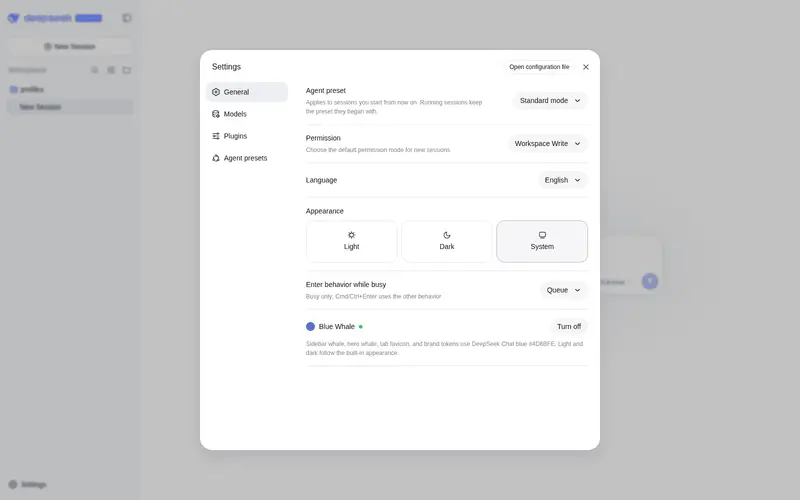
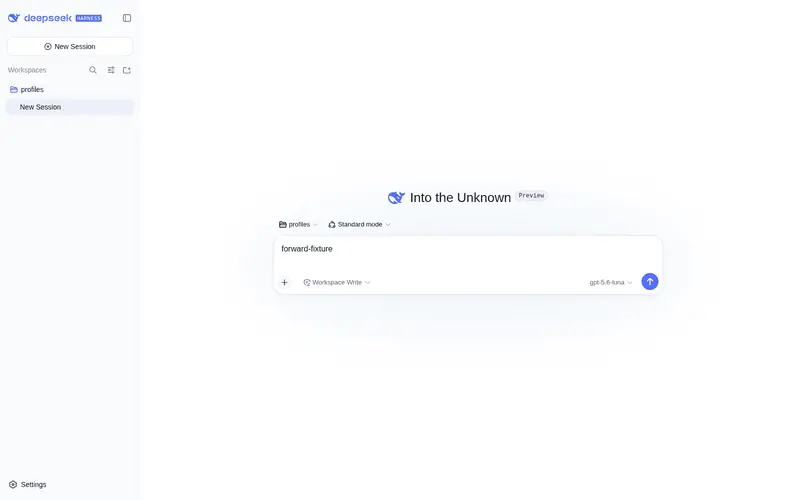
DSH ships as a black whale. chat.deepseek.com is a blue one. This plugin puts Chat blue #4D6BFE on the wordmark, hero fish, tab favicon, and primary actions. Light / dark / follow-system stay on the built-in Appearance setting.
Install
dsh plugin --profile web add dsh-blue-whale
GitHub fallback:
dsh plugin --profile web add github:starslittle/dsh-blue-whale
Restart dsh web, then hard-refresh the browser (Ctrl+Shift+R). The skin is on by default.
Open Settings → General → Blue Whale. A green dot means it is on. Turn off matches the stock capsule control; Turn on is the blue fill.
Check that it loaded
| What you see | What to do |
|---|---|
Sidebar whale and deepseek letters are blue |
It is on |
| Still the black whale | Restart, then hard-refresh |
| Turning the switch off restores the stock colors | Expected |
What it changes
| Stock DSH | This skin | |
|---|---|---|
Sidebar whale + deepseek
|
near-black / near-white | #4D6BFE |
| Hero whale | same | #4D6BFE |
| Browser tab icon | black (white in OS dark) | #4D6BFE |
| Brand / send / accents | black or white | #4D6BFE |
| Page background | built-in light / dark | unchanged |
| Light / dark switch | built-in Appearance | still built-in |
Supporting colors come from DSH’s own --dsw-static-deepseek-* scale.
What it does not do
- It does not change layout or density
- It does not change a desktop shell’s window or tray icon
- Headless and TUI profiles have nothing to paint
Turning it off or uninstalling restores the stock colors immediately.
License
MIT
Frequently Asked QuestionsFAQ
Use the verified command dsh plugin --profile default add github:starslittle/dsh-blue-whale in a DSH-enabled shell. The command resolves the public package metadata and keeps the plugin attached to the catalog identity shown on this page.
Compatibility follows the bundle and profile status shown above. If a profile is not detected, keep the plugin disabled there and check the repository documentation before enabling it in production.
The GitHub link and activity metadata are the source of truth for releases and maintenance. Revisit this page after a new release to confirm the catalog has observed the latest version.