Sttrevens/dsh-linked-folders
dsh plugin: multi-folder workspace — global linked-folders list + per-session on-the-fly linking, managed from the Web sidebar.
Listed
0
Session
Bundle verified
Preview
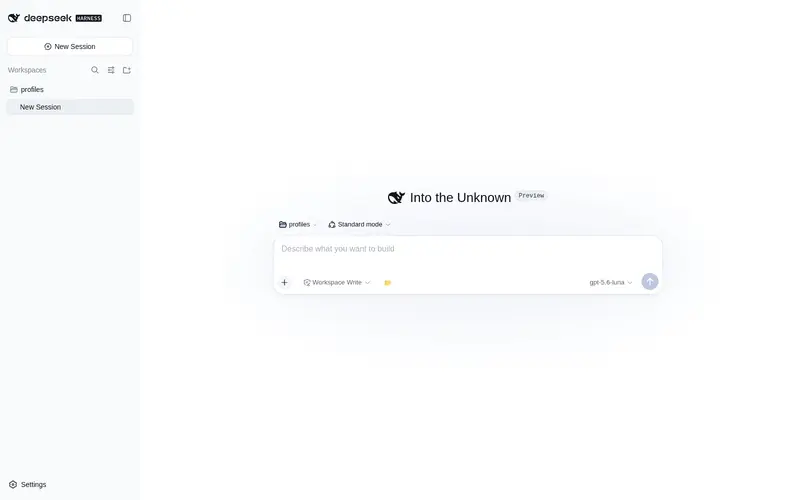
What it does
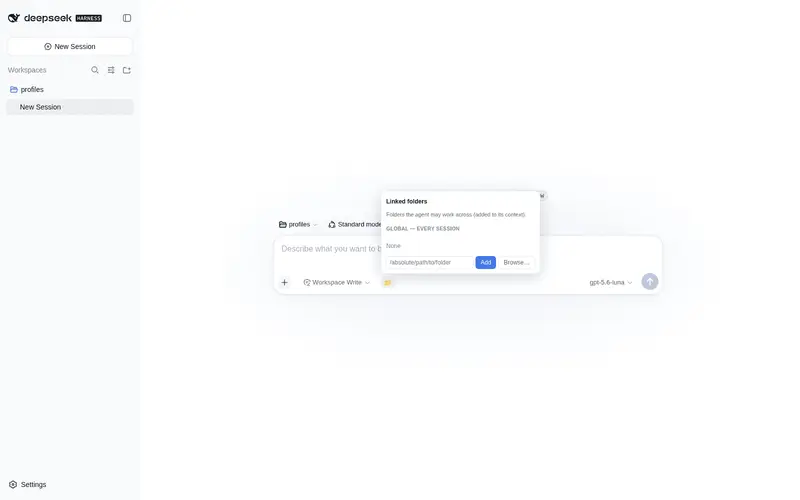
Multi-folder workspace: a durable global linked-folders list plus per-session on-the-fly linking (link_folder/unlink_folder), managed from the Web sidebar with a native folder picker.
Best for
- Developers working across several repositories or directories within one DSH session.
- Users who want a durable global folder list plus temporary, agent-managed links for individual sessions.
- DSH Web workflows that benefit from sidebar management and a native folder picker.
Not ideal for
- Users expecting linked folders to expand write permissions: under workspace-write, writes remain confined to the session workspace root.
- Single-folder workflows where additional roots and their prompt lines add no practical value.
- Users who require the optional workspace-picker menu entry but cannot reapply its compiled-client patch after DSH updates.
README
@steven-wu/dsh-linked-folders
Out-of-tree dsh plugin that gives a session multi-folder workspace access — like Codex’s linked folders.
- A global linked-folders list (durable, cross-session) — your “global workspace”.
-
Per-session temporary links the model adds/removes on the fly with
link_folder/unlink_folder.
Both lists are injected into the system prompt, so the model knows which extra
roots it may cd into and work across.
Install
The package declares a dsh.bundle manifest, so dsh plugin add installs it
and adds it to the profile’s bundle layers automatically:
dsh plugin --profile web add @steven-wu/dsh-linked-folders
# restart the web profile, then refresh the page
Use
- Composer → the 📁 button on the left of the input bar. Click it to open the panel: manage the global list (add by absolute path or Browse…, remove with ×) and see this session’s temporary links.
-
Model: say “link folder /path/to/foo” — the agent calls
link_folder; “unlink /path/to/foo” callsunlink_folder. Session links appear in the prompt as(this session).
Workspace-picker entry (optional Tier-2 patch)
The official workspace-picker menu is inline (not a slot), so the plugin can’t
add to it. scripts/patch-workspace-picker.py patches the compiled
dsh-client-ui-workspace bundle to add a “Link folder…” entry next to
“Add workspace”; selecting it dispatches dsh:link-folder-requested, which this
plugin listens for (opens the native picker and links the chosen path).
python3 scripts/patch-workspace-picker.py
# then restart dsh web
Re-run after a dsh update (idempotent; the original bundle is backed up to
*.pre-linkfolder.bak).
Configuration
State lives in ~/.dsh/linked-folders.json:
{
  "global": ["/Users/you/projects/app", "/Users/you/projects/lib"],
  "sessions": { "session-abc…": ["/tmp/scratch"] }
}
Override the path with the DSH_LINKED_FOLDERS env var or the bundle row’s
config.path. Linked folders are canonicalized to real paths and must be
existing directories.
Sandbox note
The plugin only advertises folders to the model and provides the management UI;
it does not change the file sandbox. Under danger-full-access the model can
read/write anywhere; under workspace-write it can read linked folders but
writes are still confined to the session workspace root.
Model experience
-
System prompt: a
## Linked folderssection listing global + session roots. -
Tools:
link_folder(path)/unlink_folder(path). -
Web Remote: the client bundle explicitly mounts the
linkedFoldersRemote contribution before the sidebar consumes it (required by dsh rc.6+). - Prompt token cost: proportional to the number of linked folders (one short line each), zero when none are linked.
Frequently Asked QuestionsFAQ
Use the verified command dsh plugin --profile default add github:Sttrevens/dsh-linked-folders in a DSH-enabled shell. The command resolves the public package metadata and keeps the plugin attached to the catalog identity shown on this page.
Compatibility follows the bundle and profile status shown above. If a profile is not detected, keep the plugin disabled there and check the repository documentation before enabling it in production.
The GitHub link and activity metadata are the source of truth for releases and maintenance. Revisit this page after a new release to confirm the catalog has observed the latest version.