Ultronen/dsh-liquid-glass
DeepSeek Harness 液态玻璃:点一下,整个界面通透起来。透明度随心调,背景图自由换——让你的 Agent 住进风景里。Liquid glass for DeepSeek Harness: one toggle to turn the whole shell translucent, with a live opacity slider and a custom full-page background.
Listed
2
Theme
Bundle verified
Preview
What it does
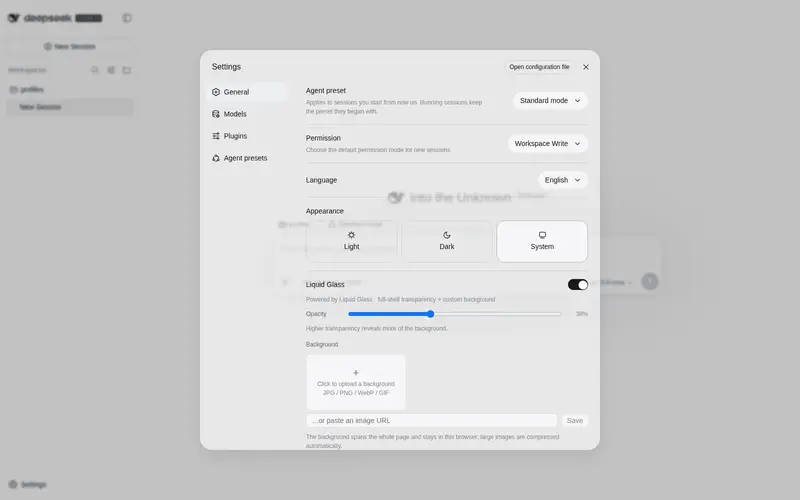
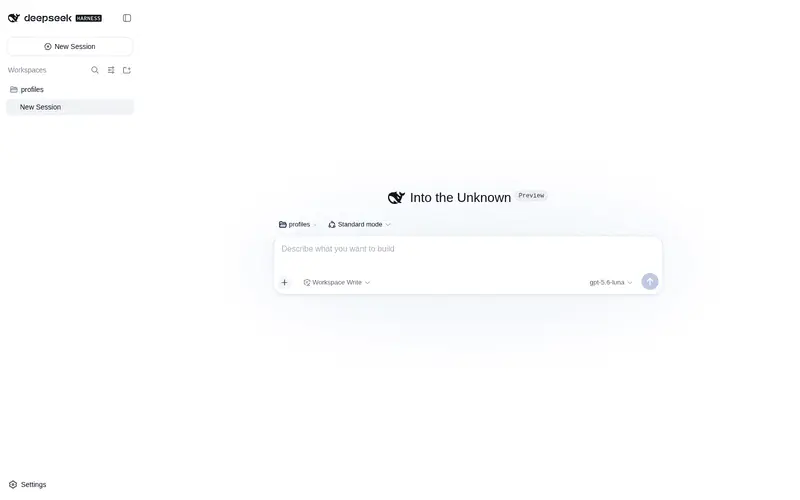
One toggle makes the whole DeepSeek Harness shell translucent, with an opacity slider and a custom full-page background.
Best for
- DeepSeek Harness Web users who want a translucent interface over a personal background image.
- Users who want a single adjustable opacity control applied across the full shell.
- People who prefer browser-local visual customization without changing agent workflows.
Not ideal for
- Users satisfied with the standard theme or who need functional workflow enhancements rather than appearance changes.
- Environments where translucent surfaces or background imagery would reduce readability or focus.
- Users who expect preferences to follow them across browsers; settings remain in each browser's localStorage.
README
dsh-liquid-glass
| English | 中文 |
Liquid glass for DeepSeek Harness — one toggle, and the whole interface turns to glass.
Translucency built for DeepSeek Harness: the page base, cards, panels and chat bubbles all go see-through over your own background image, with a single slider for exactly how much glass you want. Nothing else — the best tools are the simple ones.
Install
dsh plugin --profile web add dsh-liquid-glass
Open Settings → General — a Liquid Glass row appears. It is ON by default; restart once after install.
What you get
- Full-shell transparency: every surface the shell paints — page base, cards, panels, sidebar, chat bubbles, code blocks — goes translucent through the official ThemeRuntime token-override layer. Neutral white on the light scheme, near-black on dark.
- One master transparency slider (3%–95%): higher values reveal more of the background.
- Full-page custom background: upload a local image (auto-compressed for localStorage) or paste a URL. It spans the whole page behind the glass.
Uninstall
dsh plugin --profile web remove dsh-liquid-glass
Preferences live in this browser’s localStorage and are left behind harmlessly.
License
MIT
Frequently Asked QuestionsFAQ
Use the verified command dsh plugin --profile default add github:Ultronen/dsh-liquid-glass in a DSH-enabled shell. The command resolves the public package metadata and keeps the plugin attached to the catalog identity shown on this page.
Compatibility follows the bundle and profile status shown above. If a profile is not detected, keep the plugin disabled there and check the repository documentation before enabling it in production.
The GitHub link and activity metadata are the source of truth for releases and maintenance. Revisit this page after a new release to confirm the catalog has observed the latest version.