WNJXYK/dsh-codex-oauth
Use your OpenAI subscription with DeepSeek Harness to access GPT models, image generation, and web search.
Listed
10
Model
Bundle verified
Preview
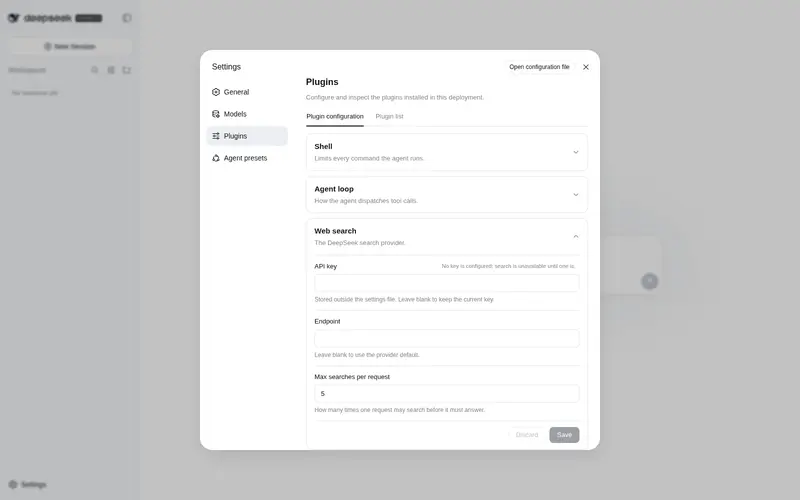
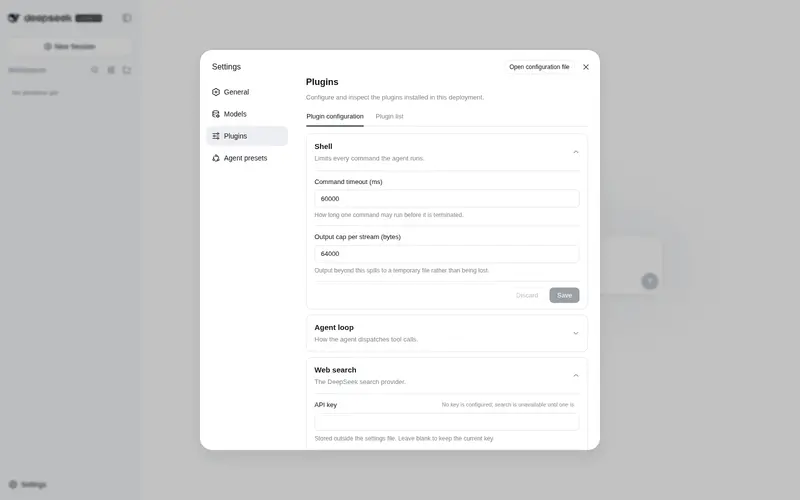
What it does
Use a ChatGPT/Codex subscription in DeepSeek Harness with GPT models, image generation, web search, subscription quota reporting, model and feature controls, and browser or device-code OAuth sign-in.
Best for
- DSH users who want to use GPT models, image generation, and hosted web search through an existing ChatGPT/Codex subscription.
- Headless or desktop deployments that need device-code or browser OAuth sign-in.
- Users who want subscription quota, reset windows, model visibility, and feature controls inside DSH.
Not ideal for
- Users without an eligible ChatGPT/Codex subscription.
- Deployments that require only public, stable API contracts; the plugin relies on non-public Codex backend endpoints that may change.
- Risk-sensitive accounts that cannot accept the documented possibility of temporary breakage or account suspension.
- DSH versions outside the specifically verified 0.1.0-rc.6 environment when unverified compatibility is unacceptable.
README
🔐 DSH-Codex-OAuth
| English | 简体中文 |
🎯 What it does: Sign in with a ChatGPT / Codex subscription to enjoy powerful GPT models, image generation, and web search in DeepSeek Harness, with subscription quota reporting included.
🧩 Compatibility: Verified on DSH0.1.0-rc.6; future releases will continue to be tested against the latest DSH version.
⚠️ Risk: This project is built on open-source software and relies on non-public ChatGPT Codex backend endpoints. OpenAI protocol changes may temporarily break features until the plugin is updated, and there may also be a low risk of account suspension.
✨ Plugin highlights
- 🚀 Direct subscription access — GPT models, image generation, and web search share your OpenAI subscription quota.
- 🧩 Controlled integration — the model picker, generated images, and web search integrate into DeepSeek Harness with dedicated controls.
- 🔐 Multiple sign-in methods — supports browser sign-in and headless device-code authorization.
- 🌗 UI adaptation — follows DSH’s English/Chinese language and Light, Dark, or System theme.
📦 Install / Upgrade
🟢 npm
dsh plugin --profile web add -w @wnjxyk/dsh-codex-oauth@latest
🐙 GitHub
dsh plugin --profile web add -w github:WNJXYK/dsh-codex-oauth
🗑️ Uninstall
npm and GitHub installations use the same removal command:
dsh plugin --profile web remove -w @wnjxyk/dsh-codex-oauth
🧰 Plugin capabilities
| Capability | Description |
|---|---|
| 🤖 GPT models | Activates DSH’s built-in openai-codex provider and dynamically loads models available to the account. |
| 🎨 Image generation | Registers the generate_image tool, supports multiple image sizes and quality levels, and displays the generated result. |
| 🌐 Web search | Routes native web_search through hosted GPT search and returns answer text with structured source URLs. |
| 📊 Subscription usage | Shows plan, remaining quota, reset times, and windows such as 5-hour and weekly limits. |
| 🔑 OAuth | Supports browser sign-in, device codes, automatic token renewal, status refresh, and sign-out. |
| 🖥️ Native integration | Provides model and feature controls, image previews, bilingual copy, and theme adaptation while following DSH’s hot-plug design. |
🖼️ Feature preview
| Account status and model settings | Headless sign-in | Image generation | Web search (X/Twitter) |
|---|---|---|---|
 |
 |
 |
 |
⚙️ Detailed configuration
No configuration is normally required. Available options are:
| Option | Default | Description |
|---|---|---|
dshHome |
DSH Home | Custom DSH home directory used to resolve default file paths. |
path |
$DSH_HOME/codex-oauth.json |
Host-side OAuth credential file. |
preferencesPath |
$DSH_HOME/codex-oauth-preferences.json |
Model visibility and feature switches; defaults beside path when it is overridden. |
issuer |
https://auth.openai.com |
OAuth issuer; override only for gateways or tests. |
usageUrl |
https://chatgpt.com/backend-api/wham/usage |
Subscription usage endpoint. |
controlPort |
1456 |
Loopback login, status, and preference service. |
redirectPort |
1455 |
Loopback browser OAuth callback. |
Search model
|
gpt-5.6-sol |
Model used by hosted web search, aligned with the default Codex Power configuration. |
Example Cordis configuration:
- insert:
    - id: dsh-codex-oauth
      name: "@wnjxyk/dsh-codex-oauth"
      config:
        dshHome: /data/dsh
        path: /secure/codex-oauth.json
        preferencesPath: /secure/codex-oauth-preferences.json
        issuer: https://auth.openai.com
        usageUrl: https://chatgpt.com/backend-api/wham/usage
        controlPort: 1456
        redirectPort: 1455

    - id: codex-web-search
      name: "@wnjxyk/dsh-codex-oauth/web-search"
      config:
        model: gpt-5.6-sol
Web search and image-generation orchestration both default to the Codex Power model gpt-5.6-sol; images are rendered by the hosted GPT Image (image_generation) tool; chat models are discovered dynamically from the openai-codex model provider supplied by DSH’s built-in llm-pi-ai plugin.
📄 License
This project is available under the MIT License, authored by WNJXYK.
Frequently Asked QuestionsFAQ
Use the verified command dsh plugin --profile default add github:WNJXYK/dsh-codex-oauth in a DSH-enabled shell. The command resolves the public package metadata and keeps the plugin attached to the catalog identity shown on this page.
Compatibility follows the bundle and profile status shown above. If a profile is not detected, keep the plugin disabled there and check the repository documentation before enabling it in production.
The GitHub link and activity metadata are the source of truth for releases and maintenance. Revisit this page after a new release to confirm the catalog has observed the latest version.