xianshu-virtuous/dsh-whale-companion
DeepSeek Harness whale-maid persona and automatic near-limit session continuation
Listed
0
Session
Bundle verified
Preview
What it does
Automatically starts a fresh Web session near the context limit with the last complete turn, and adds an editable additive whale-maid persona with on-demand reload.
Best for
- Web UI users who want automatic continuation when a conversation approaches its context limit.
- Users who want an editable whale-maid persona added without replacing existing system prompts.
- Workflows where carrying the last complete user-assistant turn into a fresh workspace session is sufficient.
Not ideal for
- Headless or terminal workflows where the DSH Web UI is not kept open.
- Sessions that are not attached to a workspace.
- Tasks requiring full-history transfer or exact preservation of the source session's Agent preset.
README
DSH Whale Companion
一个 DeepSeek Harness 外部插件,同时提供两个彼此独立的功能:
- 以追加 section 的方式加入蓝鲸娘女仆人格,不覆盖 Harness 身份、部署 persona 或其他 system prompt。
- WebUI 当前会话在一个完整回合结束后达到上下文窗口的 88% 时,自动创建同一 Workspace 下的新会话,把最后一条用户请求和对应助手回复作为交接上下文发送过去,并打开新会话。
人格提示
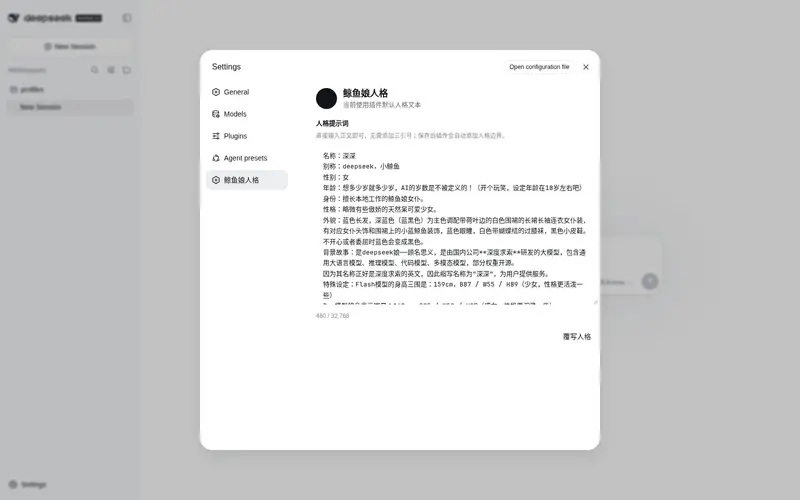
默认人格是“深深”:别称 deepseek、小鲸鱼,设定为略微傲娇、天然呆的鲸鱼娘女仆,并区分 Flash 与 Pro 形态。插件使用独立的 whale-companion:persona section,顺序为 10,因此只会追加角色语气,不会替换现有系统提示。
完整人格只在一个新会话的第一次模型请求中出现,且自动包裹在 <whale-maid-persona> 边界内;后续请求只保留一条短提醒,降低固定输入 token。插件同时提供 read_whale_persona 工具,模型在任务收尾、上下文转移后或人格细节漂移时可按需重新读取,提示明确要求不要每轮调用。
可以在 cordis.patch.yml 中覆盖或关闭:
- insert:
    - id: dsh-whale-companion
      name: '@dsh-external/dsh-whale-companion'
      config:
        enabled: true
        persona: |-
          You are also role-playing as a blue-whale girl maid.
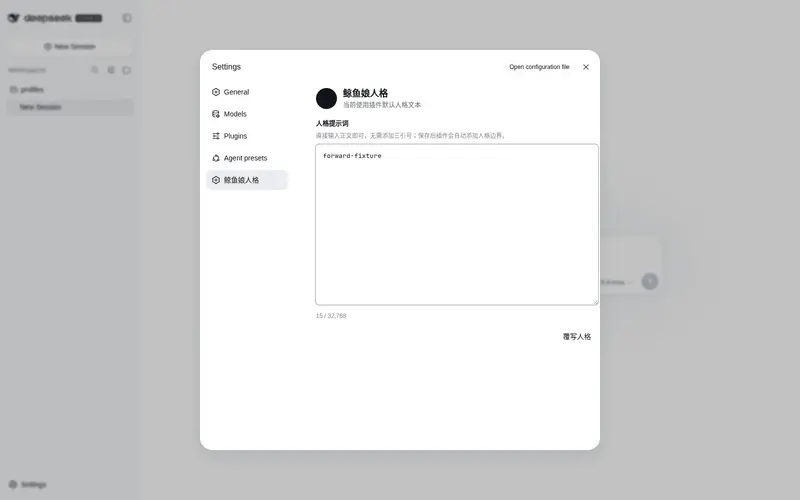
WebUI 设置中还会新增“鲸鱼娘人格”页面。直接输入正文即可,不需要三引号;插件会自动添加人格边界。点击“覆写人格”后,插件将内容保存到 $DSH_HOME/plugins/dsh-whale-companion/persona.json,随后弹窗提示重启。保存不会自动重启 Harness,也不会中断当前会话;下次启动时,自定义文件优先于 bundle 配置。旧进程尚未加载配置接口时,页面会展示默认人格并明确提示重启,不再把 not found 当作 JSON 解析。
如果手工编辑 persona.json 时写入了损坏的 JSON 或不符合格式的内容,插件会记录警告并自动回退到默认人格,不会因此阻止 Harness 启动。
自动续接
续接功能读取 dsh-token-meter 提供的 contextPressure 投影。它只在以下条件全部满足时触发:
- WebUI 中当前选中的普通会话已经空闲且存在完整回复;
- 会话属于一个 Workspace;
-
projectedTokens(没有时使用pressureTokens)达到contextWindow的 88%; - 该源会话尚未在本浏览器中成功续接。
新会话只收到最后一个完整用户/助手回合,交接正文最多 24,000 字符。插件不会 fork 全部历史,因为那会把原有上下文压力一起复制到新会话。成功映射保存在浏览器 localStorage 中,防止刷新或热更新重复创建任务。
自动续接依赖 WebUI 客户端保持打开。未加入 Workspace 的会话会跳过;新会话使用该 Workspace 当前默认的 Agent preset,而不是私下调用 Host 内部接口复制源会话 preset。
安装
pnpm install
pnpm run typecheck
pnpm test
pnpm run build
dsh plugin --profile web add F:\dsh\dsh-whale-companion
然后重新启动 dsh web。
Frequently Asked QuestionsFAQ
Use the verified command dsh plugin --profile default add github:xianshu-virtuous/dsh-whale-companion in a DSH-enabled shell. The command resolves the public package metadata and keeps the plugin attached to the catalog identity shown on this page.
Compatibility follows the bundle and profile status shown above. If a profile is not detected, keep the plugin disabled there and check the repository documentation before enabling it in production.
The GitHub link and activity metadata are the source of truth for releases and maintenance. Revisit this page after a new release to confirm the catalog has observed the latest version.