zljr/dsh-share
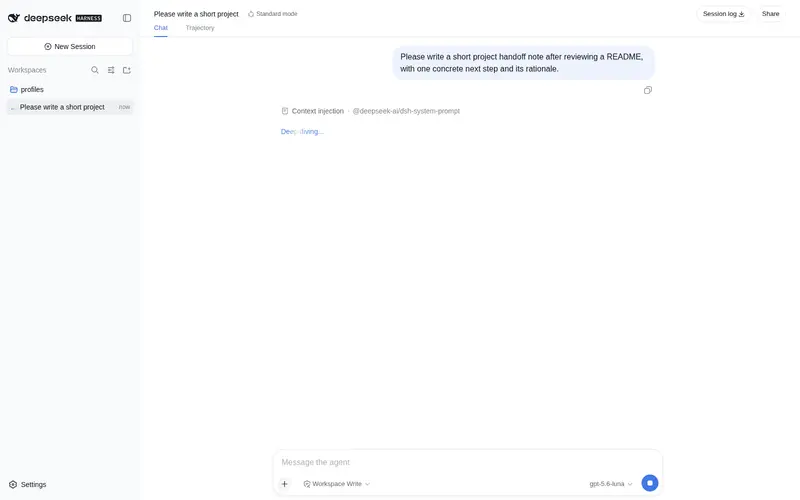
Share the current session over the LAN as a read-only, token-guarded HTML snapshot with session stats and Markdown rendering.
Listed
2
Session
Bundle verified
Preview
What it does
Share the current session over the LAN as a read-only, token-guarded HTML snapshot with session stats and Markdown rendering.
Best for
- People who need to let colleagues review a frozen DSH conversation and its statistics from another device on the same LAN.
- Workflows requiring a read-only, revocable link with optional expiration rather than access to the live harness.
- Sharing Markdown-rendered transcripts without exposing agent command execution or other harness RPC surfaces.
Not ideal for
- Live monitoring or collaborative sessions, because a shared page is frozen at creation time.
- Recipients outside the reachable LAN unless separate network routing is provided.
- Workflows that need viewers to reply, edit, invoke tools, or otherwise interact with the session.
README
dsh-share
Share a DeepSeek Harness session over your LAN as a read-only, token-guarded snapshot.
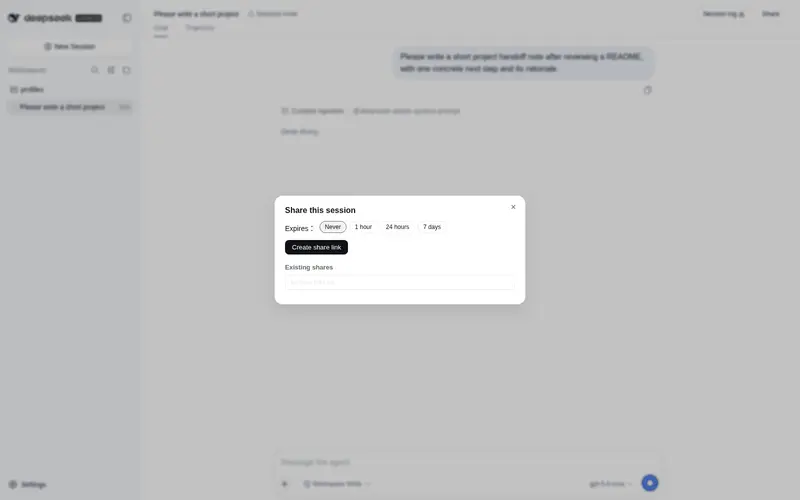
dsh-share is a DeepSeek Harness plugin that adds a Share button to the session header. One click freezes the current conversation into a self-contained, read-only HTML page and prints a LAN URL — e.g. http://192.168.1.20:3081/s/<token> — that any device on the same network can open in a browser.
The main harness keeps listening on 127.0.0.1 (and so never exposes the agent’s command execution). Sharing is served by a separate, read-only HTTP server that only ever returns a pre-rendered snapshot page for a valid token.
Features
- 🔗 One-click share — a Share button in the session header (beside the official “Session log” action).
- 🔒 Read-only & isolated — the share server binds
0.0.0.0:<port>on its own; it exposes nothing butGET /s/<token>. No RPC, no writes, no session reads on view. - 🧊 Frozen snapshot — the transcript and session stats are captured at share time; later edits or compactions never change an already-shared page.
- 🔑 Revocable + optional expiry — 128-bit random tokens; stop sharing anytime, or pick a 1h / 24h / 7d expiry.
- 📝 Markdown transcript — user & assistant messages are Markdown-rendered (safe: raw HTML is escaped,
javascript:URLs are blocked). - 🪗 Readable — long messages auto-fold behind a preview; consecutive tool calls collapse into one “🛠 tool calls” group.
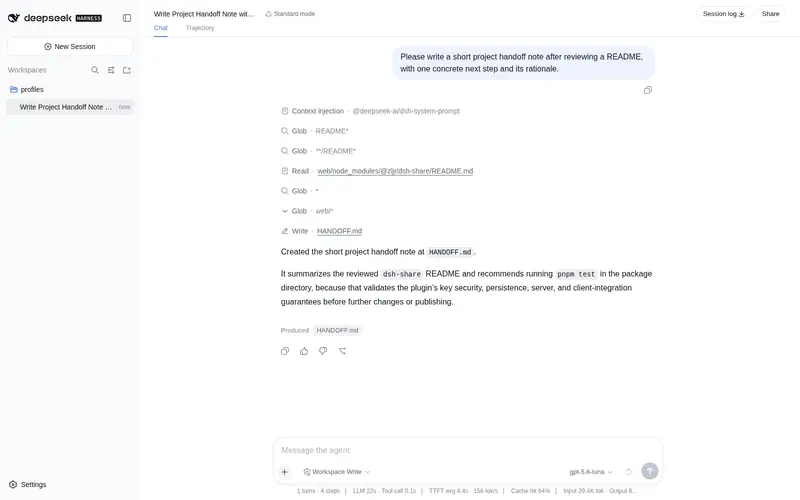
- 📊 Session stats header — turns, steps, wall-clock duration, tool-call time, cache hits, input/output tokens, and current context occupancy with a per-category composition bar.
- 🌗 Dark & light theme — the share page follows
prefers-color-scheme. - 💾 Persists across restarts — shares are stored in
~/.dsh/dsh-share.json. - 📡 Smart LAN address — filters out virtual adapters (WSL / Hyper-V / Docker / VPN / …) and probes the default route so the phone-reachable IP is listed first.
How it works
dsh-share is a dual-face dsh package, like other harness plugins:
| Half | Runs in | Role |
|---|---|---|
Host (src/host) |
Node (harness process) | Folds the session event log into a transcript + stats, stores the frozen snapshot, and serves it over a separate node:http server at /s/<token>. Also exposes a /dsh-share RPC (create / revoke / list). |
Client (src/client) |
Browser | Registers the Share button in conversation.session.header.utilities and renders the dialog (expiry picker, copy / revoke / open). |
Token estimation for the context composition reuses the harness’s own fixed-density heuristic (~4 chars ≈ 1 token), matching dsh-context.
Install
From npm
dsh plugin --profile web add @zljr/dsh-share
dsh --profile web
That’s it — the published package ships the built lib/, so end users never need a build step.
From source (local development)
# 1. Build the package artifacts (lib/)
pnpm install
pnpm build

# 2. Install into the web profile (local path)
dsh plugin --profile web add /absolute/path/to/dsh-share

# 3. Restart the web UI
dsh --profile web
Open any session and click Share in the header. The share server starts lazily on first use.
Configuration
Environment variables (or a config object supplied via cordis.patch.yml):
| Variable | Default | Description |
|---|---|---|
DSH_SHARE_HOST |
0.0.0.0 |
Bind address of the read-only share server. |
DSH_SHARE_PORT |
3081 |
Port of the share server. |
On Windows, the first
0.0.0.0listen may trigger a firewall prompt — allow it so other devices can reach the link.
Security model
- The main harness stays loopback-only; only the read-only share surface is reachable from the LAN.
- Share tokens are 128-bit random (unguessable) and can be revoked or set to expire.
- The share page contains no JavaScript and no external assets; message text is Markdown-rendered with raw HTML escaped and dangerous URLs rejected.
- The snapshot is frozen — it is not a live view of the session, and it is never re-read from the session store after creation.
Development
pnpm install     # dev dependencies (typescript, esbuild, react, jsdom, …)
pnpm build       # bundle host (lib/index.js) + client (lib/client.js)
pnpm test        # typecheck + host/client functional tests
pnpm typecheck   # tsc --noEmit only
Project structure
src/
  shared/          # wire contract shared by both halves (type-only)
  host/
    index.ts       # /dsh-share RPC + lazy share-server lifecycle
    server.ts      # read-only HTTP server + LAN address selection
    store.ts       # token → snapshot registry (persisted JSON)
    transcript.ts  # event log → human transcript
    stats.ts       # event log → session statistics
    pricing.ts     # token estimation heuristic
    markdown.ts    # safe Markdown rendering
    html.ts        # snapshot page rendering
  client/
    index.ts       # header button registration
    components/    # ShareButton + dialog
scripts/build.mjs  # esbuild build (host ESM + client __ModuleLoader__ bundle)
tests/             # host/client functional tests (jsdom + real React)
Publishing
npm login --registry=https://registry.npmjs.org
npm publish --registry=https://registry.npmjs.org
The prepublishOnly script rebuilds lib/ before every publish, so the tarball always carries a fresh host + client bundle.
License
Frequently Asked QuestionsFAQ
Use the verified command dsh plugin --profile default add github:zljr/dsh-share in a DSH-enabled shell. The command resolves the public package metadata and keeps the plugin attached to the catalog identity shown on this page.
Compatibility follows the bundle and profile status shown above. If a profile is not detected, keep the plugin disabled there and check the repository documentation before enabling it in production.
The GitHub link and activity metadata are the source of truth for releases and maintenance. Revisit this page after a new release to confirm the catalog has observed the latest version.