ICCuse/dsh-file-memory
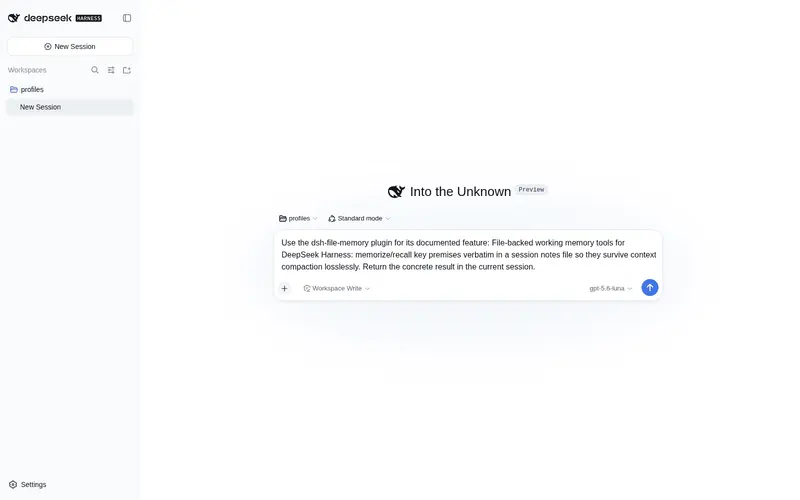
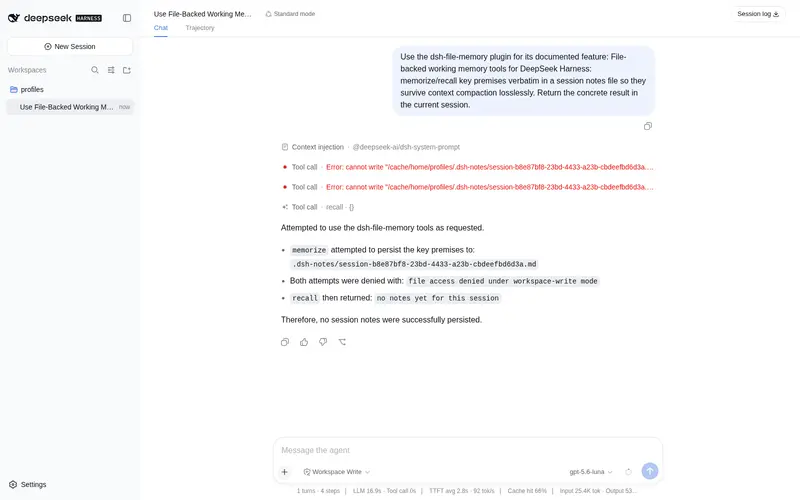
File-backed working memory tools for DeepSeek Harness: memorize/recall key premises verbatim in a session notes file so they survive context compaction losslessly
已收录
0
Memory
Bundle 已验证
预览
功能介绍
文件型工作记忆:memorize/recall 把关键前提逐字保存在会话笔记文件,无损挺过上下文压缩。
适合
- 需要让关键前提在多次上下文压缩后仍精确保留的长任务 Agent 会话。
- 要求选定事实逐字节召回、而不是从摘要中重新推断的任务。
- 适合用会话级笔记并按子串快速检索的工作区工作流。
不适合
- 没有 Agent 后端或未挂载文件系统服务的会话;这两项都是工具运行前提。
- 需要全局、结构化、语义化知识库,而非会话级逐行笔记的用户。
- 当前必须使用已发布 npm 包的用户;文档中的安装来源是代码仓库。
README
@deepseek-ai/dsh-file-memory
| 中文 | English |
File-backed working memory for long tasks. Two model-facing tools — memorize and recall — keep key premises as verbatim bytes in a session-scoped notes file inside the workspace, so they survive context compaction losslessly: a summarizer can blur or drop a fact, but a file round-trips it byte-exact.
Why
Compaction checkpoints are LLM-generated and LLM-rewritten generation after generation; the prompt-space “state document” proposals still re-summarize the previous state every pass. Files are the only lossless medium the agent already has: write once, read back exactly. This is the pragmatic complement to prompt-space compaction, usable today on the shipped compaction-basic backend.
Tools
| Tool | Behavior |
|---|---|
memorize(entries) |
Appends verbatim deduplicated lines to <workspace>/.dsh-notes/<session>.md. |
recall(query?) |
Reads the notes back, optionally filtered to lines containing query; caps output at maxRecallChars. |
Both require an agent-backed session and a mounted fs service; they resolve the notes file relative to the session’s workspace cwd (falling back to the backend default when the session has no cwd).
Config
| Field | Default | Meaning |
|---|---|---|
maxRecallChars |
6000 |
Recall output cap. |
notesDir |
.dsh-notes |
Notes directory name inside the workspace; must be a bare directory name. |
maxRecallChars must be an integer >= 1; misconfiguration throws at plugin load.
Install
Not on npm yet - install from this repository:
npm install github:ICCuse/dsh-file-memory
# or: pnpm add github:ICCuse/dsh-file-memory
Then mount the bundle (declared in package.json ‘dsh.bundle’):
- id: dsh-file-memory
  name: 'dsh-file-memory'
Or, once published, ‘dsh plugin –profile web add dsh-file-memory’.
常见问题常见问题
在启用了 DSH 的终端中执行已验证命令 dsh plugin --profile default add github:ICCuse/dsh-file-memory。命令会解析公开 package 元数据,并保持插件与本页展示的目录身份一致。
兼容性以页面上展示的 bundle 与 profile 状态为准。如果某个 profile 尚未检测到,请先保持禁用,并在生产启用前阅读仓库文档。
GitHub 链接和 activity 元数据是 release 与维护状态的来源。新版本发布后重新查看本页,确认目录已经观察到最新版本。