Q00/ouroboros · integrations/dsh-plugin
Agent OS: the agent gets smarter on its own. We just hold the line: the grading command and expected result never make it into the success contract we hand it. Interview-gated, staged evaluation, budgeted evolution loop. MCP server, 13 runtimes: Claude Code, Codex CLI, Gemini CLI, OpenCode, Copilot, Kiro and more.
已收录
5519
Workflow
Bundle 已验证
预览
功能介绍
通过 DSH MCP 客户端挂载 Ouroboros 的纯配置包,在 DSH 中提供 36 个涵盖需求访谈、Seed、执行、评估与演化流程的工具。
适合
- 希望通过 MCP 客户端在 DSH 中使用 Ouroboros 36 个工具、又不需要在配置包中加入自定义运行时代码的用户。
- 开展结构化需求访谈、Seed 创建、执行、评估与迭代演化流程的团队。
- 需要可重放、分阶段 Agent 工作流,而非单次非结构化编码提示的用户。
不适合
- 不需要访谈、分阶段评估或演化循环的一次性简单任务。
- 不希望在 DSH 中接入或操作 Ouroboros MCP 工作流的用户。
- 需要独立界面功能的工作流;该配置包只通过 DSH MCP 客户端挂载 Ouroboros 工具。
README
◯ ─────────── ◯

O U R O B O R O S
◯ ─────────── ◯
It gets smarter on its own. We just hold the line.


Quick Start · Why · Results · How It Works · Commands · Philosophy · Guide
curl -fsSL https://raw.githubusercontent.com/Q00/ouroboros/main/scripts/install.sh | OUROBOROS_INSTALL_REF=readme-hero bash
 |
 |
 |
 |
 |
 |
Turn a vague idea into a verified, working codebase – across Claude Code, Codex CLI, OpenCode, Hermes, Gemini, Kiro, Copilot, Pi, Zcode, Goose, GJC, Antigravity, and Grok.
Ouroboros is an Agent OS for AI coding: a local-first runtime layer that turns non-deterministic agent work into a replayable, observable, policy-bound execution contract. It replaces ad-hoc prompting with a structured specification-first workflow: interview, crystallize, execute, evaluate, evolve.
The Ouroboros Agent OS Stack
Like any OS, Ouroboros is split into a stable OS layer of primitives, an application layer of domain workflows, and a shell that humans actually sit in front of. Three repos, one stack:
| Layer | Repo | Role | What it gives you |
|---|---|---|---|
| Shell (terminal client) | Ouro-labs/ourocode |
Native terminal UI for running ooo workflows across Claude / Codex / Gemini CLIs in one session |
TUI, wonderTool decision pickers, MCP pane state, command discovery |
| Apps (domain workflows) | Ouro-labs/ouroboros-plugins |
UserLevel plugin contract — composes core primitives into installable domain programs (PR ops, Jira sync, incidents, releases) | Plugin manifest, scoped permissions, audit/provenance, reference plugins |
| OS (this repo) | Q00/ouroboros |
Agent OS core — Seed, Ledger, Runtime, MCP, safety boundaries |
ooo commands, spec-first workflow engine, multi-runtime adapter |
How they connect:
  ourocode  ──►  ooo / ouroboros-plugins  ──►  ouroboros core (Seed · Ledger · MCP · Runtime)
   shell             user-level apps                        kernel
- The kernel (
ouroboros) owns the contract: every action becomes a Seed-bound, ledger-recorded, replayable event — regardless of which LLM executes it. -
Plugins (
ouroboros-plugins) declare scoped capabilities against that contract, so domain workflows (review a PR, triage a Linear ticket, run a release) stay auditable and policy-bound instead of being one-off prompts. - Ourocode is the terminal shell: it surfaces MCP state, interview questions, and wonderTool decisions as first-class TUI elements, so you can drive the OS without leaving the keyboard or switching between CLIs.
Use ouroboros alone with any supported CLI, layer plugins on for domain
workflows, or install ourocode when you want a unified terminal cockpit.
Disclaimer. The Ouroboros project and community are not affiliated with any cryptocurrency, token, memecoin, or trading community — including, but not limited to, any “ouroboros” tickers on pump.fun or other launchpads. This is an open-source developer tool. We do not issue, endorse, or hold any coins. Any token claiming association with this project is unauthorized.
Naming note. A separate, unaffiliated open-source project also uses the name “Ouroboros” — Anton Razzhigaev’s self-modifying, autonomous-memory agent at
github.com/razzant/ouroboros. No shared code, no relationship. This project locks a specification before executing rather than rewriting its own architecture; if you’re looking for the latter, that’s the other one.
Why Ouroboros?
Most AI coding fails at the input, not the output. The bottleneck is not AI capability – it is human clarity.
| Problem | What Happens | Ouroboros Fix |
|---|---|---|
| Vague prompts | AI guesses, you rework | Socratic interview exposes hidden assumptions |
| No spec | Architecture drifts mid-build | Immutable seed spec locks intent before code |
| Manual QA | “Looks good” is not verification | 3-stage automated evaluation gate |
Quick Start
Install — one command, everything auto-detected:
curl -fsSL https://raw.githubusercontent.com/Q00/ouroboros/main/scripts/install.sh | OUROBOROS_INSTALL_REF=readme bash
First command — open your AI coding agent and run these in order:
> ooo setup
> ooo interview "I want to build a task management CLI"
ooo setup is a one-time configuration step. ooo interview is the first
workflow command and starts the Socratic interview. After setup, Codex follows
its currently selected model and Claude Code starts with its recommended model
settings. Choose Directly configure models only when you want to pin a
stage to a specific model; it opens the local settings screen in your browser.
You can return to those settings any time with ooo config.
Or from a plain terminal, without an agent host:
$ ouroboros init start --orchestrator "I want to build a task management CLI tool"

Works with Claude Code, Codex CLI, GitHub Copilot CLI, OpenCode, Hermes, Gemini, Kiro CLI, Pi CLI, Zcode, Goose, GJC, Antigravity CLI, and Grok Build CLI. The installer detects available runtimes and registers the MCP server where the host supports it. For explicit selection, run
ouroboros setup --runtime <opencode|kiro|copilot|gemini|pi|zcode|goose|gjc|antigravity|grok>after installation. Copilot live-discovers its subscription catalog via the GitHub Copilot models API; Kiro’s settings picker queries the authenticated CLI withkiro-cli chat --listmodels -f json, so account and enterprise allow-list changes appear without a hardcoded model table.
DeepSeek support. Ouroboros speaks DeepSeek two ways. Point the interview/Seed/QA pipeline at DeepSeek’s own models with
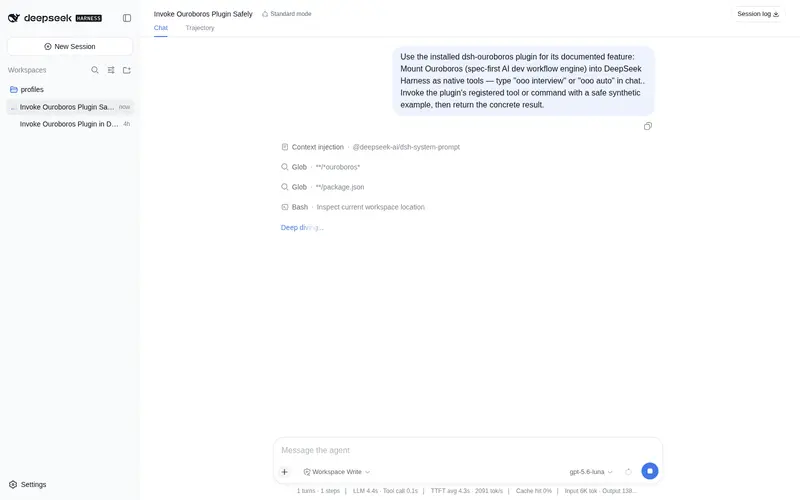
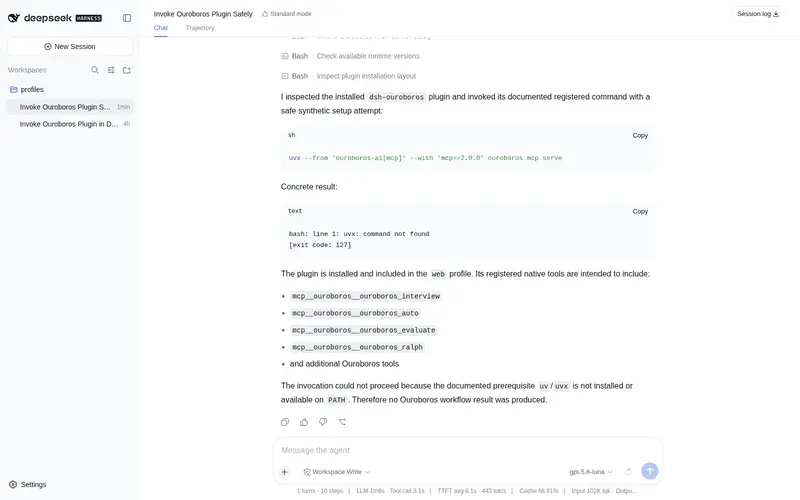
--llm-backend dsh(ouroboros mcp serve --runtime claude-cli --llm-backend dsh, orOUROBOROS_LLM_BACKEND=dsh) — this drives DeepSeek Harness’s ACP server under the hood. Or go the other way: install thedsh-ouroborosplugin (dsh plugin --profile <your-profile> add "github:Q00/ouroboros#main&path:integrations/dsh-plugin") and typeooo interview/ooo autodirectly in the DeepSeek Harness chat — the sameouroboros_interview/ouroboros_autotools run natively inside it, Socratic questions and all. Both directions, including what thedshbackend needs beyond the one variable, are in the DeepSeek Harness guide.
常见问题常见问题
在启用了 DSH 的终端中执行已验证命令 dsh plugin --profile default add github:Q00/ouroboros#path:/integrations/dsh-plugin。命令会解析公开 package 元数据,并保持插件与本页展示的目录身份一致。
兼容性以页面上展示的 bundle 与 profile 状态为准。如果某个 profile 尚未检测到,请先保持禁用,并在生产启用前阅读仓库文档。
GitHub 链接和 activity 元数据是 release 与维护状态的来源。新版本发布后重新查看本页,确认目录已经观察到最新版本。