titanwings/dsh-automation
DSH 自动化插件:让 Coding 任务按计划在全新 Agent Session 中运行,并由用户或 Agent 创建和管理定时任务。 / Run coding tasks in fresh Agent sessions and manage schedules from DSH Web or an Agent.
已收录
53
Workflow
Bundle 已验证
预览
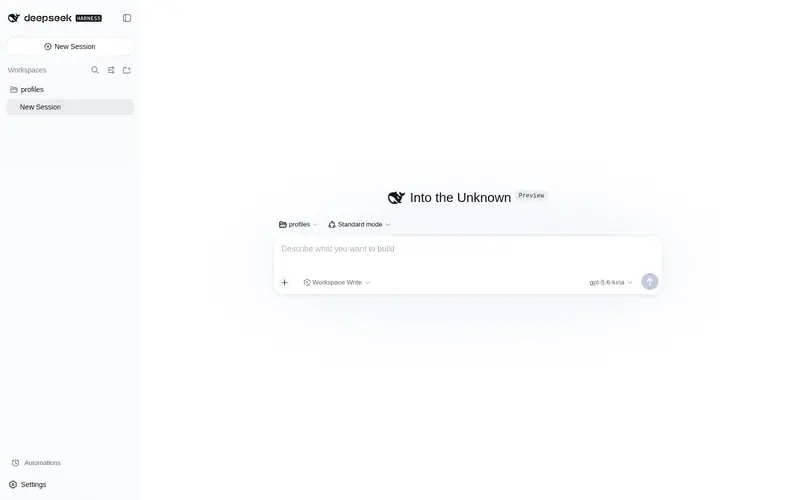
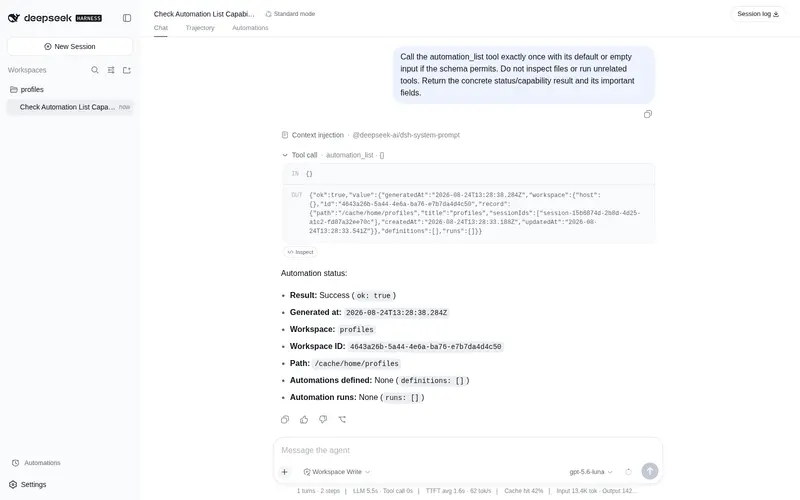
功能介绍
定时任务:让 Coding 任务按计划在全新 Agent Session 中运行,保留可审计历史。
适合
- 内容足够完整、可在指定时间无人值守运行的周期性或一次性 Coding 任务。
- 需要每次执行都在明确工作区和权限边界内启动全新 root agent 与 Session 的团队。
- 需要持久运行历史并关联到确切自动化定义版本的用户。
不适合
- 需要保留当前对话的同会话提醒或后续操作;这类任务更适合 DSH Core Schedule。
- 依赖未写明的聊天历史、执行中需要交互审批,或由文件、HTTP、进程条件触发的任务。
- 需要自动重试、多工作区 DAG、worktree 生命周期管理或外部副作用严格一次执行的流程。
README
⏱️ dsh-automation
Run coding tasks on schedule. Manage them from Web or Agent.





|
🕒 Need recurring or one-shot coding work to run later without relying on an old chat? 🧭 Need each unattended run to stay inside an explicit workspace and permission boundary? 🧾 Need to inspect what ran, which revision it used, and how it ended? |
✨ dsh-automation turns all three requirements into one workflow.
Create and manage schedules from DSH Web or any eligible root Agent. Every dispatched occurrence starts in a fresh root Agent and Session, then leaves an auditable record.
Self-contained task + schedule + permission boundary → fresh root Agent + fresh Session + durable run history
Why automation · Features · Install · Quick start · Safety · Technical details
English · 简体中文


🎯 Why automation
DSH Core Schedule is the right tool for reminders in the current conversation: “come back to this Session in ten minutes.” dsh-automation handles a different job: “run this complete task independently every weekday and leave me a result I can inspect.”
| DSH Core Schedule | dsh-automation | |
|---|---|---|
| Execution context | Returns to the same live Agent | Starts a fresh root Agent and Session |
| Input | A follow-up inside existing context | A saved, self-contained task |
| Scope | Current Session Log | One canonical DSH workspace |
| History | Conversation events | Definition revisions and durable run records |
| Best for | Reminders and same-chat follow-ups | Repeated or one-shot standalone coding work |
If a task depends on unstated chat history, needs an interactive approval halfway through, or should react to a file, HTTP, or process condition rather than time, it is not a good automation yet.
✨ Features
🕹️ One control plane, two ways in
- DSH Web: use the Automations conversation tab to create a rule, pause or resume it, run it now, delete it, and inspect recent runs.
- Any eligible root Agent: ask in natural language. Six scoped tools let the Agent manage automations only for its exact workspace.
There is no separate bot, daemon UI, or third-party scheduler to operate.
📅 Schedules people can read
Create a one-shot, fixed-interval, daily, or weekly rule. Daily and weekly schedules use an IANA time zone; the friendly form is normalized into a validated RFC 5545 RRULE for persistence and inspection.

🧼 A clean execution boundary every time
Each dispatched occurrence receives:
- a new Session ID and fresh root Agent;
- the saved prompt, not the source conversation history;
- the captured workspace, cwd, Agent preset, model target, and permission preset;
- an explicit
automationmessage source containing the automation ID, run ID, and scheduled time; - a terminal result derived from the actual DSH turn end, not merely “message delivered.”
🧾 History that explains failure as well as success
Runs progress through queued, running, and a terminal state such as succeeded, failed, skipped, or cancelled. Each record keeps its definition revision, prompt and target snapshot, scheduled time, result Session ID, bounded summary, and structured error.

Updating a definition increments its revision, so each retained run still identifies what it executed. Deleting the definition does not immediately erase those run records. Retention removes only the oldest terminal records; queued and running records are never pruned.
Set archiveRunSessions: true in the Cordis plugin config to archive completed, failed, cancelled, and other terminal run Sessions from the ordinary DSH conversation list. Their logs are not deleted: the Automations run history keeps the Session ID, summary, and error as an auditable inbox. Current Harness releases do not expose an unarchive API, so an archived result is labeled instead of offering a broken Session-open action. The default is false and preserves ordinary Session navigation.
⚡ Install
Install the GitHub bundle into the DSH Web profile, then restart dsh web:
dsh plugin --profile web add github:titanwings/dsh-automation#v0.1.6
The version tag keeps the install reproducible; a reviewed commit SHA is equally valid. If you run DSH from its source checkout, use pnpm dsh in place of dsh.
常见问题常见问题
在启用了 DSH 的终端中执行已验证命令 dsh plugin --profile default add github:titanwings/dsh-automation。命令会解析公开 package 元数据,并保持插件与本页展示的目录身份一致。
兼容性以页面上展示的 bundle 与 profile 状态为准。如果某个 profile 尚未检测到,请先保持禁用,并在生产启用前阅读仓库文档。
GitHub 链接和 activity 元数据是 release 与维护状态的来源。新版本发布后重新查看本页,确认目录已经观察到最新版本。