Eve-146T/DSH-CODEX-SUBSCRIPTION-POOL
dsh plugin for openai codex subscriptions that can pool multiple accounts.
Listed
1
Model
Bundle verified
Preview
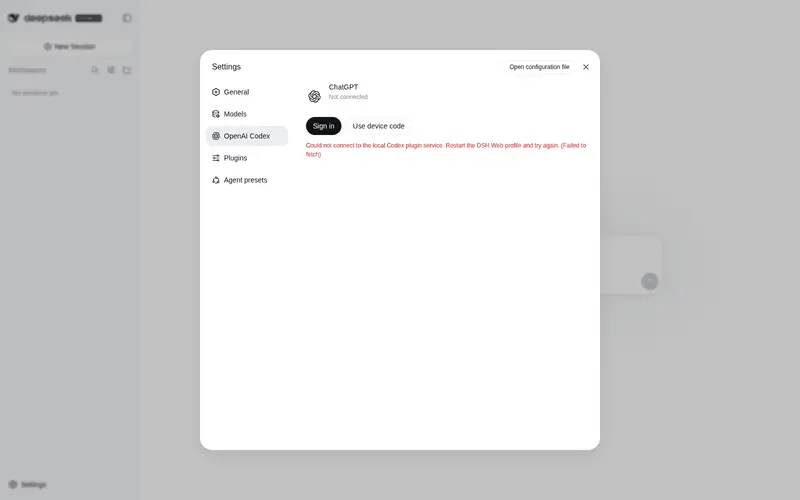
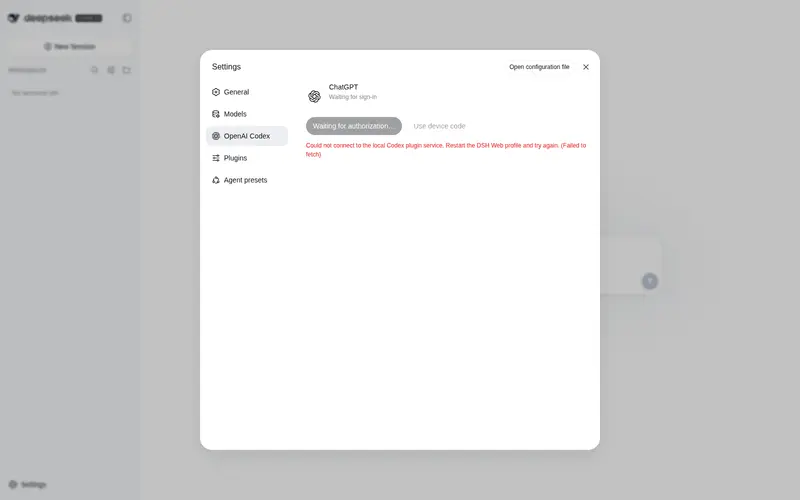
What it does
Use your ChatGPT/Codex subscriptions in DSH, with image generation and web search support.
Best for
- DSH users who want to use and manage multiple ChatGPT/Codex subscription accounts as a pool.
- Subscription-based workflows that also need the plugin's web search and image-generation tools.
- Users who want the Codex provider settings UI to follow DSH's selected language.
Not ideal for
- Users without ChatGPT/Codex subscriptions to connect.
- Single-account workflows that do not need account pooling, web search, or image generation.
- Workflows that specifically require a conventional API-key-based OpenAI provider rather than subscription login.
README

OpenAI Codex Plugin for the DeepSeek Harness
Lets you manage your pool of OpenAI subscriptions in DSH.
New Tools
- Websearch
- Image Generation
- Chinese UI follows the language selected in DSH
Install the DeepSeek Harness Codex plugin
Add it to your DSH Web profile:
dsh plugin --profile web add github:Eve-146T/DSH-CODEX-SUBSCRIPTION-POOL
Tutorial
# install the plugin
dsh plugin --profile web add github:Eve-146T/DSH-CODEX-SUBSCRIPTION-POOL
# restart dsh
dsh --profile web
Then:
- Open Settings
- Click OpenAI Codex in the sidebar and login
- Choose OpenAI Codex as the provider in the Models tab
Development
pnpm install
pnpm run build
pnpm test
dsh plugin --profile web add ./openai-codex-auth
License
This project is distributed under GPL-3.0-only.
Frequently Asked QuestionsFAQ
Use the verified command dsh plugin --profile default add github:Eve-146T/DSH-CODEX-SUBSCRIPTION-POOL in a DSH-enabled shell. The command resolves the public package metadata and keeps the plugin attached to the catalog identity shown on this page.
Compatibility follows the bundle and profile status shown above. If a profile is not detected, keep the plugin disabled there and check the repository documentation before enabling it in production.
The GitHub link and activity metadata are the source of truth for releases and maintenance. Revisit this page after a new release to confirm the catalog has observed the latest version.